Agentic AI that never leaves the building
Koala is a self-hosted AI workbench for refineries, PSUs, defence manufacturing and government offices. It runs open-weight multimodal LLMs entirely on your own GPU server — no cloud, no external calls.
v1.18.31-koala.1 · Windows 10/11 64-bit · runs fully offline
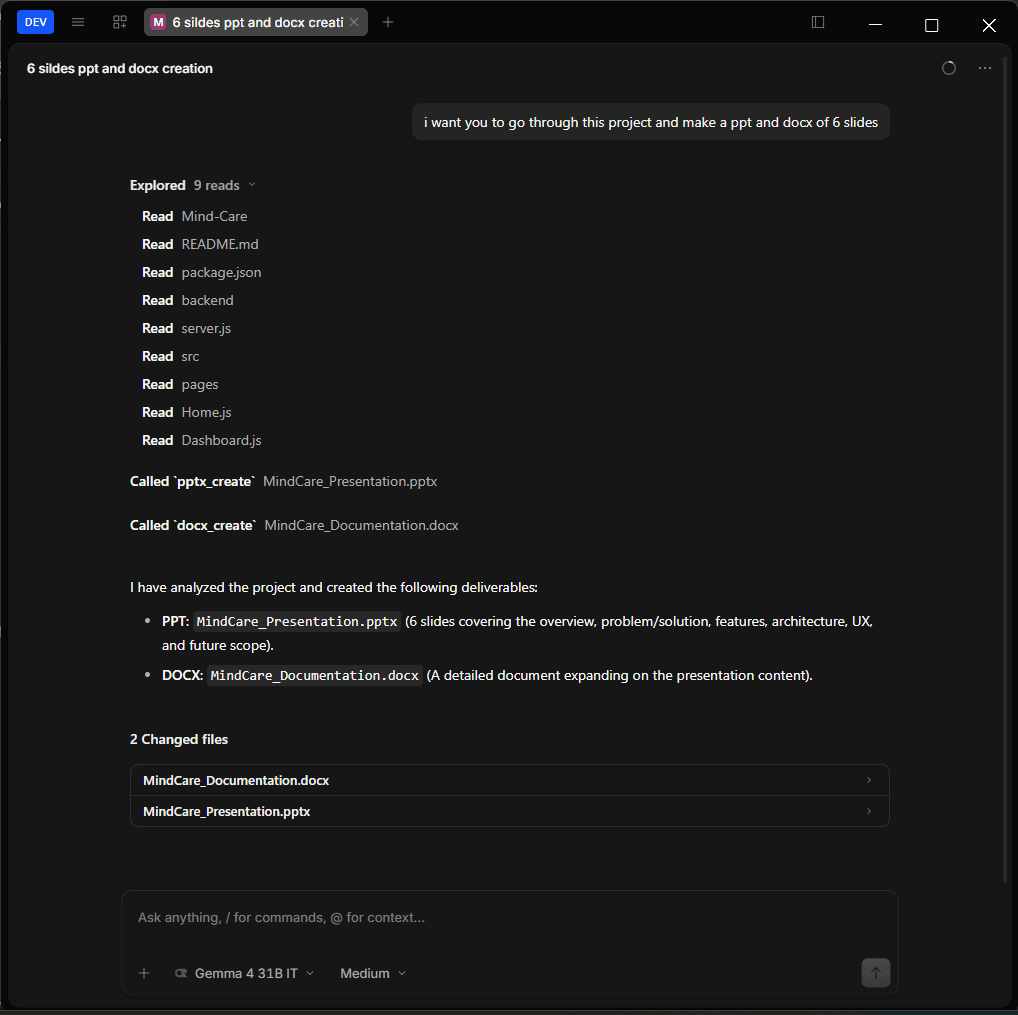
Plans, calls tools, and iterates until the job is done
Koala doesn't just answer once and stop. Give it a task and it reads the relevant files, decides which tools to call, and works through multiple steps — visibly, in the same window.
- Reads project files before making changes
- Calls local tools —
pptx_create,docx_create, code execution — in sequence - Ends with real files, not just a chat reply
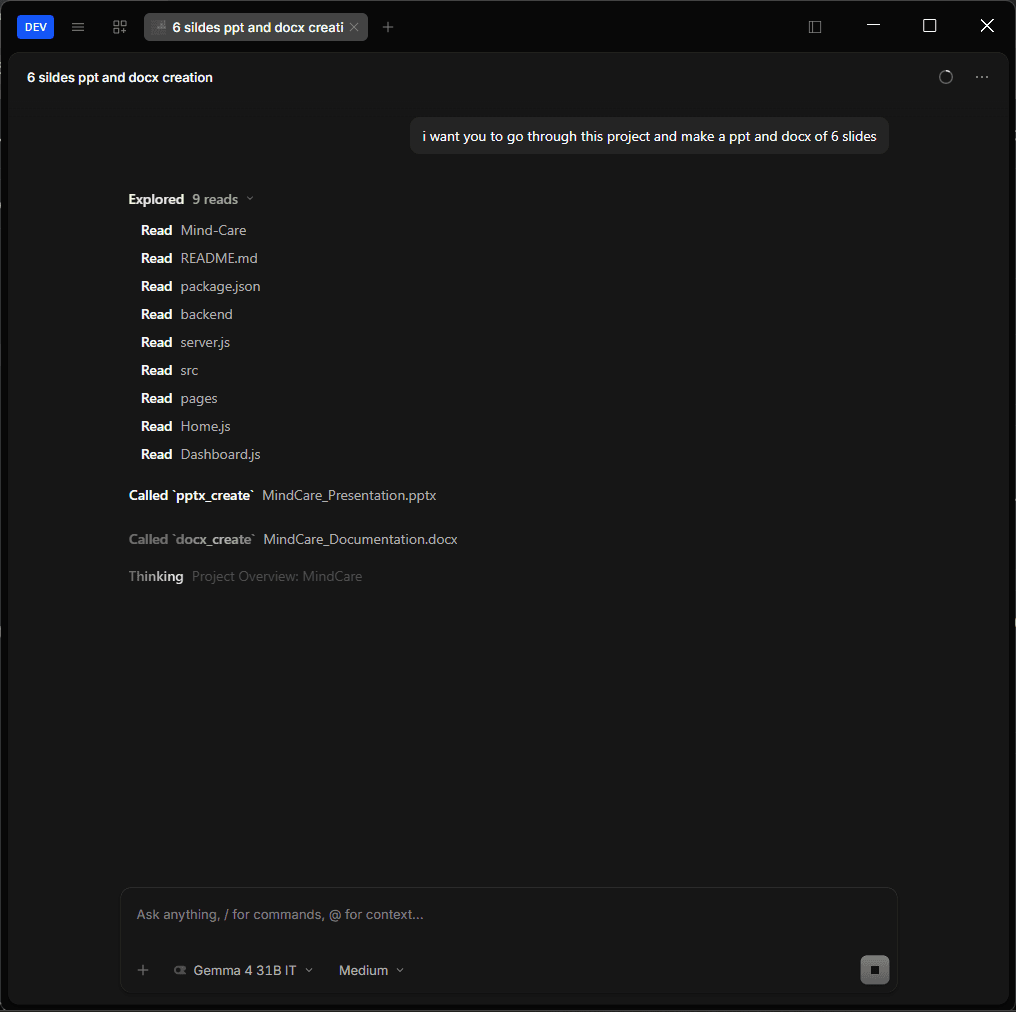
Not locked to one model
Connect any OpenAI-compatible endpoint, tell Koala what it's good at, and it gets added to the routing pool — no redesign needed as new open-weight models ship.
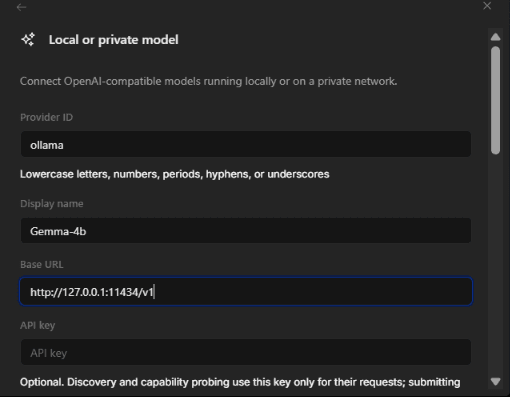
1. Point at your endpoint
Add a provider ID and base URL for any OpenAI-compatible server — here, a local Ollama instance on 127.0.0.1.
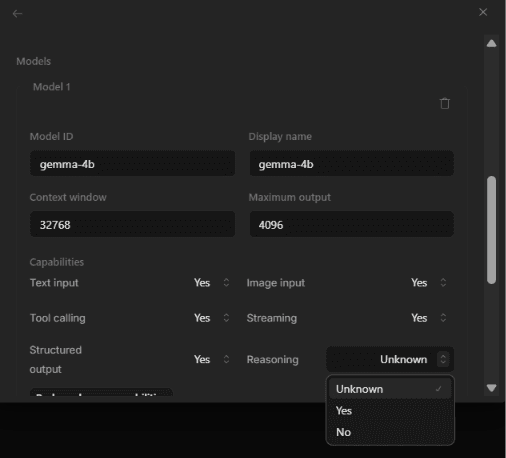
2. Declare its capabilities
Set context window, max output, and what it supports: image input, tool calling, streaming, structured output, reasoning.
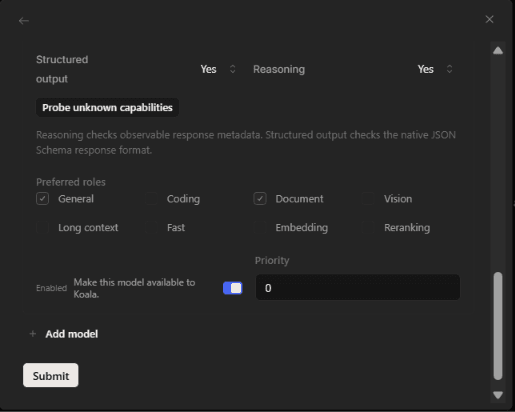
3. Assign roles & priority
Tag it as general, coding, document or vision, set a priority, and it's live in the routing pool.
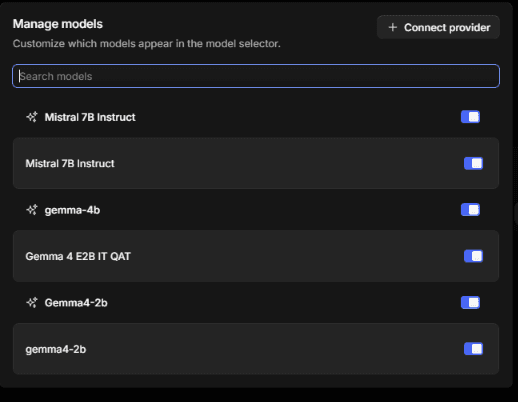
One place to manage every connected model
Every model you connect — local or private — shows up here. Toggle which ones are exposed to the workbench without touching config files.
Nothing leaves this machine
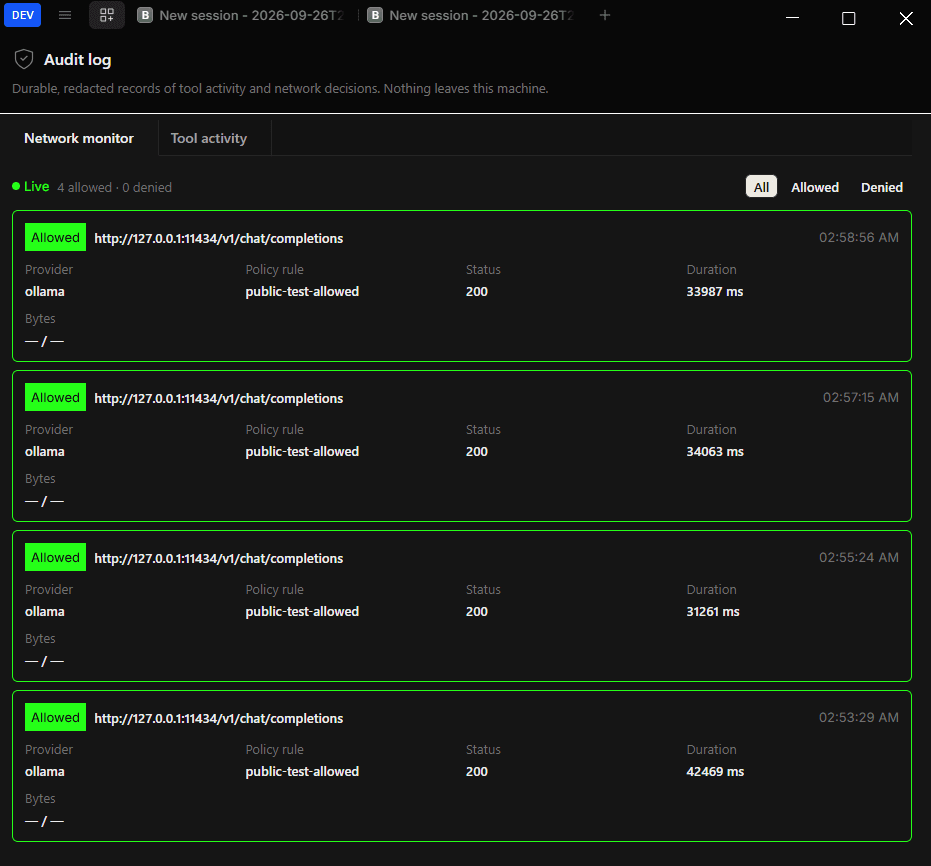
A claim of "air-gapped" isn't enough — this is the proof. Every provider request is logged with its endpoint, policy rule, status and duration. The network monitor runs live, so you can watch traffic instead of taking sovereignty on faith.
- Live view of every allowed and denied call
- Durable, redacted records of tool activity
- Separate tabs for network monitor and tool activity audit
Everything the problem statement asked for
Air-gapped by design
Runs on your own GPU server. No cloud calls, no external APIs — verified live by the built-in network monitor.
Multi-model routing
Connects to several open-weight models at once and routes each request to the one suited for it: coding, documents, vision, or general reasoning.
Bring your own model
Any OpenAI-compatible endpoint — Ollama, vLLM, LM Studio — can be connected in minutes. No redesign required to add a new one.
Agentic execution
Plans multi-step work and calls local tools: file read/write, sandboxed code execution, spreadsheet edits, document search.
Multimodal understanding
On-device OCR and vision models read scanned PDFs, handwritten notes, P&ID drawings and photographs.
Real deliverables
Produces approval notes, PPT/Word/Excel files and working code — not just chat replies.
Local knowledge base
Grounds answers in your organization's own manuals, SOPs and past correspondence through a local connector.
Full audit trail
Every tool call and provider request is logged, with an always-on network monitor showing allowed vs. denied calls.
Frequently asked
Does any data ever leave the network?
No outbound calls are made to external services. The audit log and live network monitor record every request — provider, endpoint, status and duration — so this is verifiable, not just claimed.
What hardware do I need?
A workstation or server with a mid-range GPU. Larger open-weight models (120B-class) need more VRAM; a smaller open-weight model works fine if that hardware isn't available.
Which models can I use?
Any model served through an OpenAI-compatible API — local Ollama, vLLM, LM Studio, or similar. New models connect without redesigning the workbench.
How does model auto-selection work?
Each connected model is tagged with preferred roles (general, coding, document, vision) and a priority. Requests route to the best match for the task automatically.
Can it read scanned documents and drawings?
Yes. On-device OCR and vision models handle scanned inspection reports, handwritten notes, P&ID drawings and photographs.
What does it actually hand back?
Real files: Word approval notes, PowerPoint decks, Excel calculations with steps shown, and code — generated and, where relevant, run in a local sandbox.
Download Koala for Windows
Grab the latest release and run it on your own workstation or GPU server.
- Windows 10/11 64-bit
- GPU recommended
- Runs fully offline